DD4hep Plugin
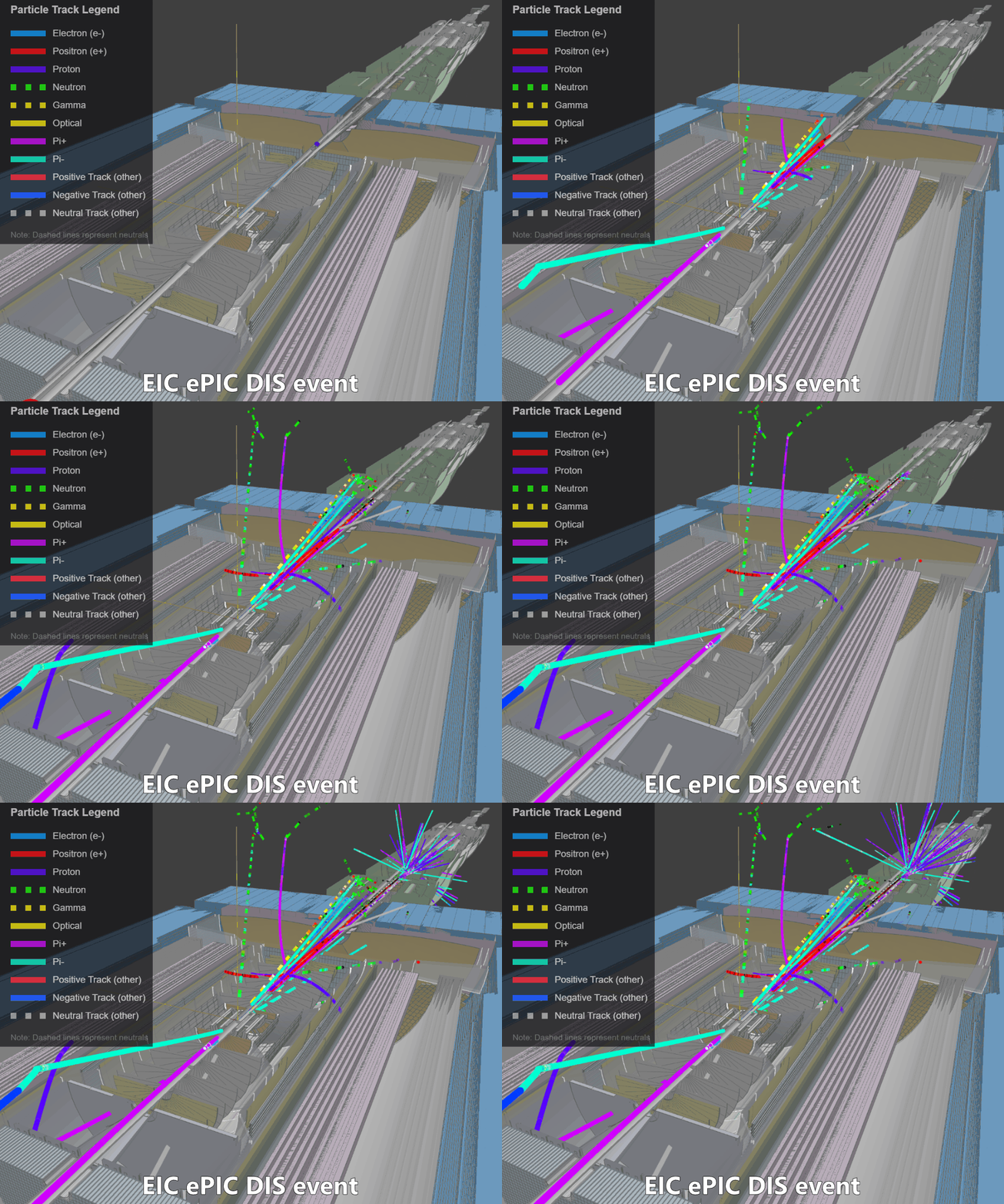
Plugin for DD4hep that writes true particle trajectories (via Geant4 event/stepping actions) to the Firebird data-exchange (DEX) format for visualization.
Usage
Here is the plan:
- Build C++ plugin with cmake
- Add resulting files to
LD_LBRARY_PATHso dd4hep could find the plugin - Run npsim/dd4hep with python steering file, that sets up the plugin
- [optional] Configure plugin parameters (cuts and what to write)
1. Build and install the plugin
git clone https://github.com/eic/firebird.git
cd firebird/dd4hep-plugin

cmake -B build -S .
cmake --build build
cmake --install build          # installs into prefix/lib by default

ls prefix/lib                  # verify libfirebird-dd4hep.so is present

# Make the library and .components file discoverable:
export LD_LIBRARY_PATH="$(pwd)/prefix/lib${LD_LIBRARY_PATH:+:$LD_LIBRARY_PATH}"
2. Run ddsim with a steering file
The plugin ships with several pre-made steering files (see below). Pass one via the --steeringFile flag:
ddsim \
  --steeringFile=my_steering.py \
  --compactFile=geometry \
  -N=5 \
  --outputFile=sim_output.edm4hep.root \
  --inputFiles sim_input.hepmc
(!) Look for EIC specific example below!
This produces sim_output.firebird.json — a Firebird-format JSON file containing the trajectory data.
Note: For large events, or when optical photons are saved, the output file can easily reach gigabytes in size.
How it works
The plugin provides several Geant4 "actions" that can be injected into DD4hep processing through a steering file or Python configuration:
FirebirdTrajectoryWriterEventAction— the primary action. It collects Geant4 trajectories at the end of each event (the same trajectories used by the Geant4 event display) and writes them in Firebird format. Users configure momentum, position, and particle-type cuts in the steering file to control output size.FirebirdTrajectoryWriterSteppingAction— uses the Geant4 stepping action to write data as it is generated. It does not offer advantages over the event action by default (event-action trajectories may include additional smoothing points), but users can modify the C++ code to access internal Geant4 data that is only available during stepping: detailed physics-process information, per-step energy deposits, etc.TextDumpingSteppingAction— a stepping action that writes track and step data to a plain-text file for custom analysis or visualization (not Firebird format). Also serves as a simple C++ plugin example.
Pre-made steering files
| File | Description |
|---|---|
firebird_steering.py | Default. Saves everything above 350 MeV (no optical photons). |
cuts_example_steering.py | Demonstrates all available cuts. |
optical_steering.py | Saves only generator particles and optical photons — useful for inspecting detectors like DIRC. |
save_all_steering.py | Saves all particles above 1 MeV including optical photons. Use with care — easily produces gigabyte-sized files. |
Configuration Options
FirebirdTrajectoryWriterEventAction
| Parameter | Type | Default | Description |
|---|---|---|---|
OutputFile | string | "trajectories.firebird.json" | Output JSON file path |
ComponentName | string | "Geant4Trajectories" | Group name shown in the Firebird display |
SaveOptical | bool | false | Save optical photons regardless of other filters |
OnlyPrimary | bool | false | Keep only primary tracks (ParentID = 0) |
VertexCut | bool | false | Enable vertex position filtering |
VertexZMin | double | −5000 | Minimum vertex Z [mm] |
VertexZMax | double | 5000 | Maximum vertex Z [mm] |
StepCut | bool | false | Enable per-step position filtering |
StepZMin | double | −5000 | Minimum step Z [mm] |
StepZMax | double | 5000 | Maximum step Z [mm] |
StepRMax | double | 5000 | Maximum step radial distance from beam axis [mm] |
MomentumMin | double | 150 | Lower momentum cut [MeV/c] |
MomentumMax | double | 1e12 | Upper momentum cut [MeV/c] |
TrackLengthMin | double | 0 | Minimum track path length [mm] |
SaveParticles | vector<int> | [] | PDG whitelist. Empty = save all types. |
RequireRichTrajectory | bool | true | Only save trajectories that provide proper time information |
VerboseTimeExtraction | bool | false | Log time-extraction internals (attribute names, parsed values) |
VerboseSteps | bool | false | Log every trajectory point: position, time, and PDG — one line per point |
Filter order
Filters are applied in this order:
- Particle type —
SaveOpticalbypasses all other filters for optical photons;SaveParticlesrestricts to a PDG whitelist. - Track source —
OnlyPrimarykeeps only ParentID = 0. - Momentum — tracks outside [
MomentumMin,MomentumMax] are dropped. - Track length — tracks shorter than
TrackLengthMinare dropped. - Vertex position — if
VertexCutis enabled, tracks whose vertex Z falls outside [VertexZMin,VertexZMax] are dropped. - Rich trajectory — if
RequireRichTrajectoryis true, non-rich trajectories (or those without extractable time) are dropped. - Step position — if
StepCutis enabled, individual points outside the Z/R bounds are removed. Tracks with no surviving points are dropped.
Steering file example
event_action = DDG4.EventAction(
    kernel, 'FirebirdTrajectoryWriterEventAction/TrajectoryWriter')

event_action.ComponentName = "Geant4Trajectories"
event_action.OutputFile    = "mytrajectories.firebird.json"
event_action.OnlyPrimary   = True
event_action.MomentumMin   = 350       # MeV/c
event_action.StepCut       = True
event_action.StepZMin      = -3000     # mm
event_action.StepZMax      =  3000     # mm
event_action.StepRMax      =  2000     # mm
event_action.VerboseSteps  = False     # set True for per-point diagnostics

kernel.eventAction().add(event_action)
FirebirdTrajectoryWriterSteppingAction
Similar configuration options are available for the stepping-action variant. See the source code for details.
EIC-specific example
EIC provides Docker images with the full HEP stack (ROOT, Geant4, DD4hep, Acts, etc.). You can use eic_shell or the eicweb/eic_xl image:
docker pull eicweb/eic_xl:nightly
docker run --rm -it \
  -v /host/path/to/firebird:/mnt/firebird \
  -v /host/path/to/data:/mnt/data \
  eicweb/eic_xl:nightly
Inside the container:
# Build and install the plugin
cd /mnt/firebird/dd4hep-plugin
cmake -B build -S .
cmake --build build
cmake --install build

export LD_LIBRARY_PATH="$(pwd)/prefix/lib${LD_LIBRARY_PATH:+:$LD_LIBRARY_PATH}"

# Load the ePIC detector
source /opt/detector/epic-main/bin/thisepic.sh

# Copy / edit a steering file
cp firebird_steering.py /mnt/data/steering.py

# Grab sample input data
xrdcp root://dtn2001.jlab.org:1094//work/eic2/EPIC/EVGEN/CI/pythia8NCDIS_5x41_minQ2=1_beamEffects_xAngle=-0.025_hiDiv_1_20ev.hepmc3.tree.root \
  /mnt/data/test.hepmc3.tree.root

# Run 10 events (note: *.edm4hep.root output name is mandatory)
ddsim \
  --steeringFile=/mnt/data/steering.py \
  --compactFile=$DETECTOR_PATH/epic_craterlake_5x41.xml \
  -N=10 \
  --outputFile=/mnt/data/sim_output.edm4hep.root \
  --inputFiles /mnt/data/test.hepmc3.tree.root
Text stepping-dump format
The TextDumpingSteppingAction writes a simple hierarchical text format:
# E - event:  run_num event_num
# T - track:  id pdg pdg_name status eta phi qOverP px py pz vx vy vz
# P - point:  x y z t
E 0 0
T 8 2212 proton 1 3.571 2.262 6.40e-05 -559.9 677.4 15608.9 0.039 0.053 18.658
P 0.039 0.053 18.658 -0.079
P -17.623 21.759 515.686 1.584
P -17.942 22.145 524.567 1.614
...
Each event (E) contains one or more tracks (T), each followed by its step points (P). The first P after a T is the pre-step point; all subsequent ones are post-step points. Every track has at least two points.